December 18, 2025
Infrastructure for Speed: The New 60-Second Merchant Activation Flow
How Surfboard’s new agentic flow takes merchants from sign-in to selling in seconds.
Read now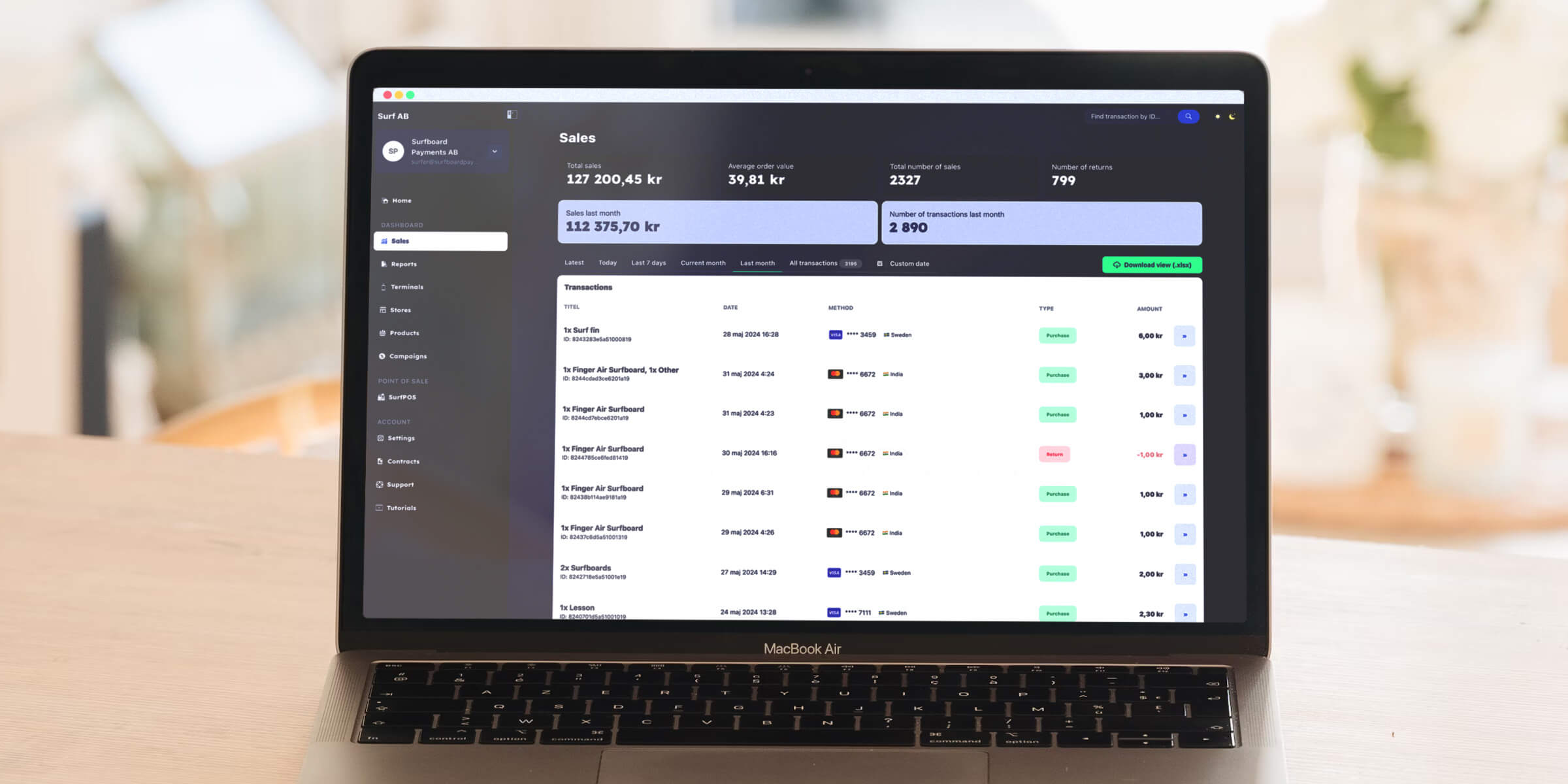
Give your merchants a world-class management dashboard without writing a single line of frontend code. Fully white-labeled, and already live.
Upon logging in, merchants are greeted with an immediate snapshot of their performance. No digging required-just the data that matters.
When your merchants log in, an intelligent wizard guides them through setup:
The Result: Your merchants get verified and active without ever calling your support line.
We built the Surfboard Merchant Portal entirely on our public APIs. This gives you total architectural freedom:
The takeaway? You get to market instantly with Option A, while keeping Option B open for the future.
By enabling the Surfboard Merchant Portal, you are equipping your users with a suite of enterprise-grade tools
Fleet Management
They can manage terminals across multiple stores/locations remotely
Real-Time Insights
Live transaction feeds and reporting on every level
Growth Tools
Built-in configuration for Tips and Campaigns to drive their revenue.
Team Access
Assign roles and permissions to team members
Test out branding your portal
Our white-label solution runs through everything, of course including the merchant portal
What do you need to do in the Merchant Portal?
Step-by-step guides for every part of the portal, grouped the way a day in the shop is: getting set up, reading the numbers, running operations, and growing the business.
What you see when you log in: monthly sales, your latest sales, all-time totals per currency and quarterly analytics. Plus a tour of the sidebar, the store switcher and transaction search.
A guided, chat-style setup for new accounts: add your branding, register your first terminal, set up tips, run a test payment and add your first products.
Notices and product updates from Surfboard, such as settlement changes, renewals, service changes and launches, in one inbox. Subscribe a shared mailbox so nothing important slips past.
Raise a support ticket with Surfboard, follow its progress and reply in the thread. Or ask the support chat, call us, and browse the FAQ.
Browse every transaction, compare periods with Insights, find a payment by any ID, open a sale for the full card and order details, and export what you see to Excel or PDF.
Refund all or part of a purchase from its transaction page, void a same-day payment instead of refunding it, cancel a refund made by mistake, and follow a refund until it completes.
Download your payout and cash register reports, filter them by settlement date and type, export any date range as a CSV, and understand why monthly and payout totals differ.
Create stores, verify your webshop domain, and manage everything that belongs to a store: sales, terminals, products, payment links, cash registers, campaigns, storefront, branding and settings.
See every terminal, printer and online checkout you have, register new ones with a code or QR, follow hardware deliveries, and rename, move or deactivate a terminal.
Configure how your terminals behave (display, receipts, language, lock screen, refund PIN and network) and set up tipping, for one terminal, several at once, or a whole store.
Turn a terminal into a certified cash register for the Swedish market: pick the terminal, accept the pricing, choose where reports go, and register the cash register with Skatteverket.
Build each store's product catalogue: add products by hand, import a CSV, or scan a printed menu with AI. Then set prices, VAT, variants, stock, related products, and temporary campaign prices.
Create a link to Surfboard's hosted payment page, from catalogue products or a free amount, and share it by email, QR code, or any chat. Then follow each link's status and payment attempts, change its end time, or cancel it.
Show offers on your terminals' idle screens and receipts with a QR code that links to your product. Create campaigns with AI or by hand, schedule them, pick the stores, and follow the QR scans.
Issue monetary or usage-based gift cards, share them with a link, and follow every card's balance, redemptions, and expiry.
Your company details and branding, payment methods, disputes, contracts, the people on your account, and report and payment notifications by email, Slack or SFTP.
The two roles in the Merchant Portal, Admin and User, and exactly what each one can and can't do.
Order terminals and accessories from Surfboard where ordering is enabled for your account, and follow every delivery from the Terminals page.
Next step
If you are interested in exploring our cloud-based payment solutions and our platform, please get in touch with us and we'll schedule a call.