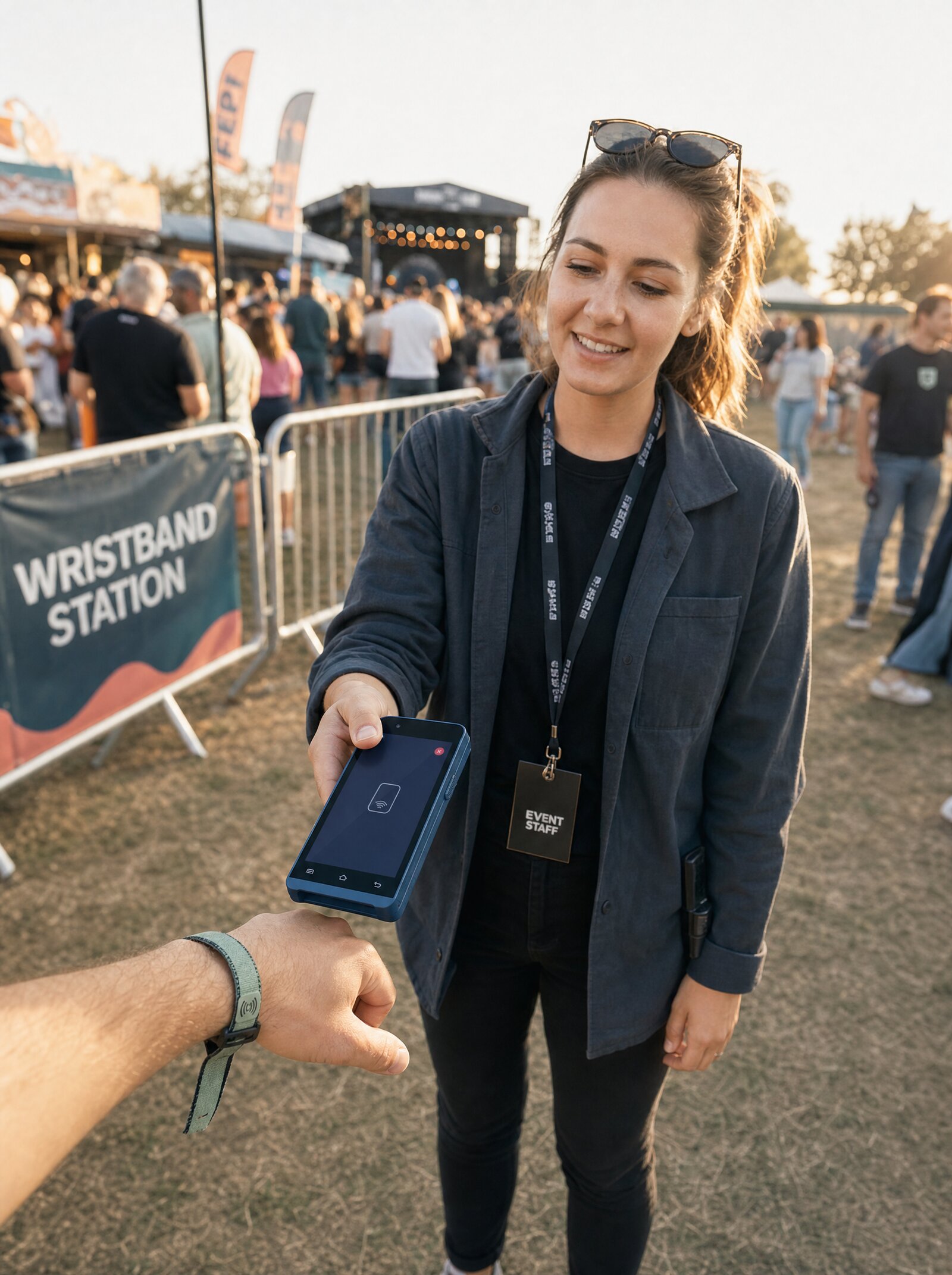
Every Surfboard Terminal is also an NFC Reader
Open a reading session, capture tag IDs, close the session. The same hardware your merchant uses to take payments doubles as a programmable NFC reader for wristbands, badges, asset tags, and any standard NFC token. No second device, no separate fleet, no firmware project.
Hardware You Already Have, Doing More
Festival ecosystems used to need a custom reader fleet. Healthcare check-in used to need its own RFID network. Asset workflows used to mean a separate handheld scanner. Surfboard's NFC Reading API turns every payment terminal in the field into a programmable tag reader, single or continuous mode, raw tag IDs returned, session-based for clean reconciliation.
Five endpoints (create session, complete session, fetch session status, fetch sessions for a terminal, fetch tags for a session) cover the full lifecycle. Tag IDs come back base64-encoded so you can store, hash, or map them however your system requires.
Distinct from card-based Identification
Card Identification (a separate Surfboard product) returns EMV-derived tokens that persist across channels. NFC Reading returns raw tag IDs from arbitrary NFC tokens, your wristbands, your badges, your assets, mapped to your own systems. Use whichever primitive fits the workflow.
How NFC Reading Works
Open a reading session on a terminal
POST /terminals/:terminalId/sessions
{
  "mode": "single"
}

// Response
{
  "status": "SUCCESS",
  "data": {
    "sessionId": "827125a9d9d0301949"
  }
}Customer or operator presents an NFC tag
Fetch the tags read
GET /terminals/:terminalId/sessions/:sessionId/tags

// Response
{
  "status": "SUCCESS",
  "data": [
    { "sessionId": "...", "tagId": "MDQ2QzUwMzJDMzNCODA=" }
  ]
}
What you can build
Tag reading is one of those primitives that quietly unlocks a lot. Here are the patterns we see partners ship most often.
1. Festival & Event Wristbands
Hand out NFC wristbands at the gate. Terminals at bars, food stalls, merch tents, and entrances all open reading sessions to identify the wearer, link tag IDs to top-up balances, drink tokens, VIP zones, or age verification.
Perfect for:
- Music festivals and conferences
- Cashless event ecosystems
- Multi-day passes with daily entry checks
2. Asset & Inventory Tracking
Tag-based stock checks at the point of sale. Tap an item with an NFC tag against the terminal, retrieve the tag ID, look up your inventory record, decide what to do, all without a separate scanner gun or inventory app.
- Library and equipment rental check-out
- High-value item authentication
- Returns and warranty claim verification
3. Healthcare Patient Wristbands
Pharmacy collection, clinic check-in, and procedure billing, patient wristband tags identify the patient at the point of care. Combine with the Payments API to charge co-pays and with the Identification API for entitlement checks.
A single hardware device handles patient ID, payment, and (with a printer) the receipt.
4. Employee Badge Workflows
Use existing employee NFC badges for cafeteria, vending, and on-site purchases. The terminal reads the badge tag, your back office checks subsidies and entitlements, and the transaction proceeds, no separate physical card needed.
- Subsidized canteen meals
- Vending machine top-ups
- Internal store credit balances
5. Continuous-Read Multiple Mode
For high-throughput environments, gate entries, queue checks, lap-time tracking, open a multiple-mode session and let the terminal capture every tag presented. Pull the full list when the period ends.
Stadium gates, gym check-ins, race timing checkpoints, conference badge scanning.
6. Distinct from Card Identification
NFC Reading is intentionally separate from Identification. Identification is about EMV card tokens, the same persistent token across every channel. NFC Reading is about arbitrary tag IDs, your own tags, your own mapping, your own logic.
Two different identity primitives, two different APIs, both running on the same hardware fleet.
Two modes, every workflow covered
The terminal opens, reads one tag, closes. Ideal for transactional flows where each tap should be a discrete event.
Healthcare check-in, returns processing, asset rental, single-entry tickets.
The session stays open. Every tag presented is captured against the same session ID. Pull the full list when the operator closes the session.
Festival gate entries, queue checks, gym check-ins, conference badge scanning.
One device fleet, multiple identity primitives
The same SurfTouch, SurfPrint, or SurfPad your merchant uses for payments runs Card Identification (EMV tokens), NFC Reading (raw tag IDs), and Payment processing, concurrently, switchable per transaction.
Hardware consolidation is one of the quiet wins of integrating with Surfboard. Fewer devices, fewer SKUs, fewer support paths, more workflows on the same surface.
Start reading tags
Five endpoints cover the entire lifecycle, create, fetch status, fetch sessions, fetch tags, complete. Single or multiple mode, base64-encoded tag IDs, clean session boundaries.
// Open a continuous reading session for festival gate entries
  POST /terminals/:terminalId/sessions
  {
    "mode": "multiple"
  }

  // Pull every tag captured during the session
  GET /terminals/:terminalId/sessions/:sessionId/tags

  // Returns base64-encoded tag IDs you map to your own records
  {
    "status": "SUCCESS",
    "data": [
      { "sessionId": "...", "tagId": "MDQ2QzUwMzJDMzNCODA=" },
      { "sessionId": "...", "tagId": "MDU3RDYxNDNEMzRCOTE=" }
    ]
}Build it yourself
Step-by-step developer guides for everything on this page.
Use the NFC Reading API to create tag-reading sessions on payment terminals, scan NFC/RFID-tagged products, and retrieve scanned tag data.
Read guide In-store · GuideManage payment terminals and devices via the Surfboard API. Register in-store and online terminals, configure settings, and handle device operations.
Read guide Online · GuideManage the full payment lifecycle from order creation through capture, void, cancel, and refund operations using the Surfboard Payments API.
Read guide