Dashboard Overview
Your central hub for monitoring your business in real time. See monthly sales, latest transactions, currency breakdowns, and quarterly trends at a glance.
Overview
The dashboard is the first thing you see after logging in to the Merchant Portal. It gives you an immediate snapshot of how your business is performing — without you having to dig for the data.
Greeting and Monthly Sales
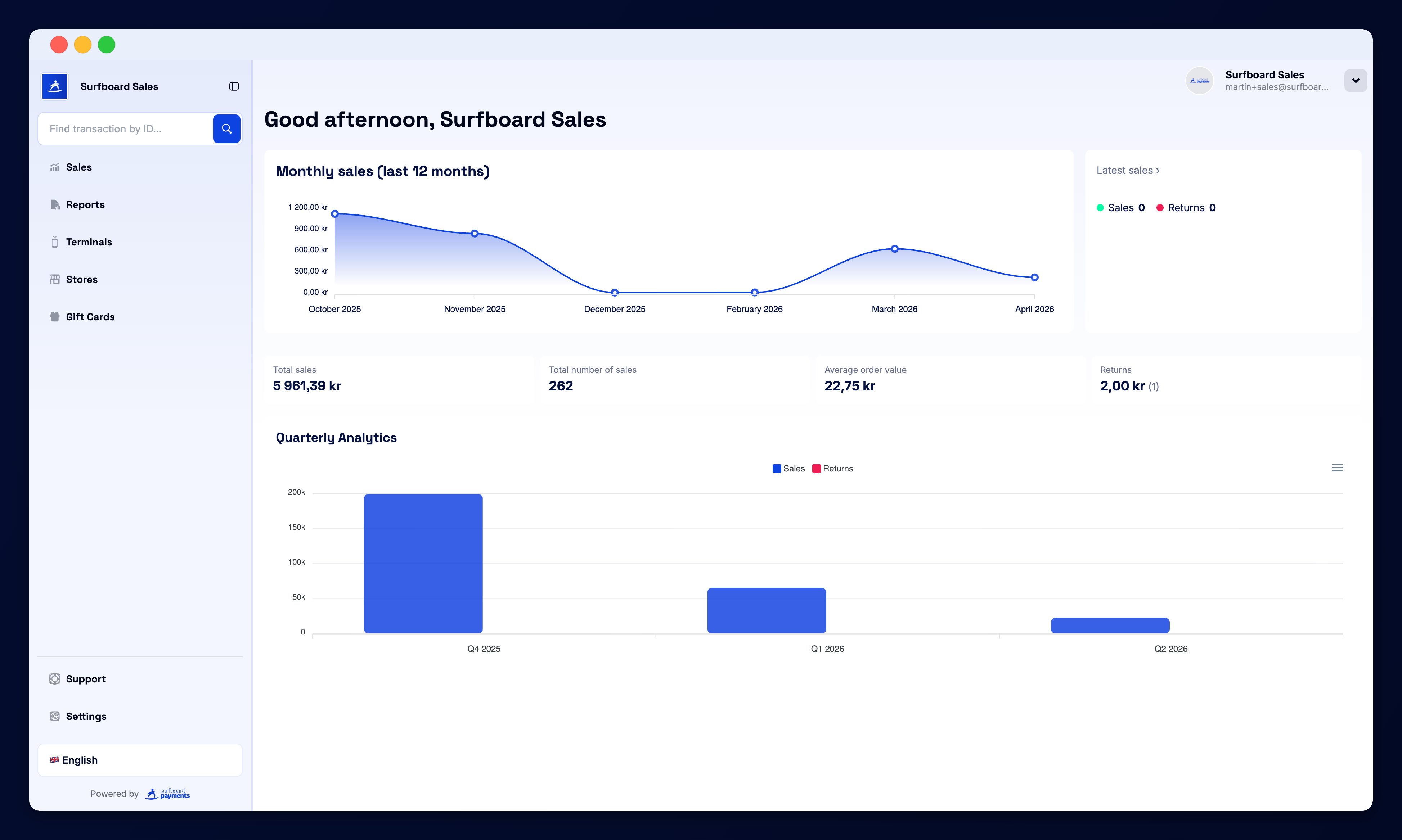
At the top, the portal greets you with a personalised welcome and shows the Monthly sales (last 12 months) chart. The graph visualises your payment volume month by month, so you can quickly spot growth, dips, and seasonal patterns.
Latest Sales
The Latest sales card shows your most recent transactions in real time — the date, time, amount, and whether it was a sale or a return. Click any row to open the full transaction detail page, or click All sales » to jump to the Sales section.
You also see two counters:
- Sales — the number of recent successful payments
- Returns — the number of recent refunds
Currency Breakdown
The dashboard automatically separates your numbers by currency, which is useful if you operate in multiple markets. For each currency you’ll see:
| Metric | What it means |
|---|---|
| Total sales | The combined value of all successful transactions in that currency |
| Total number of sales | How many transactions made up that volume |
| Average order value | Mean transaction value (total ÷ count) |
| Returns | Total refunded amount and how many refunds |
This is your fastest way to compare performance across SEK, NOK, DKK, EUR, GBP, and any other currency you accept.
Quarterly Analytics
The Quarterly Analytics chart at the bottom of the page plots Sales vs. Returns over the last several quarters. Use the currency tabs (SEK, GBP, EUR, DKK, etc.) to switch between markets. You can also export the chart as SVG, PNG, or CSV for reports and presentations.
Sidebar Navigation
The sidebar gives you one-click access to every section of the portal:
- Sales — transaction list and search
- Reports — daily, monthly, and cash-register settlement reports
- Terminals — manage your card terminals and printers
- Stores — create and configure stores
- Campaigns — run terminal-based marketing campaigns
- Gift Cards — issue and track gift cards
- Financing — access merchant financing offers
- Support — get in touch with the team
- Messages — notices from Surfboard; subscribe an email address here so your team gets them too. See Messages.
- Settings — profile, team, branding, and notifications
You can also collapse the sidebar to free up screen space, switch language using the flag dropdown, and use the Find transaction by ID field to jump directly to any transaction.
Profile Pill
In the top-right corner, the profile pill shows your merchant name and the user you’re logged in as. From the dropdown you can quickly access Settings, Support, or Log out.