Payment Links
Generate hosted checkout links to take card payments without a terminal, share over email, SMS, chat, invoice, or QR code.
Overview
Payment links let you take a card payment from anywhere — without a terminal. You generate a link, share it with the customer, and they pay through Surfboard’s hosted checkout page on their phone or laptop.
When to Use Payment Links
- Phone orders or callbacks
- Email invoices to clients
- SMS / WhatsApp / chat-based sales
- Quotes and deposits
- QR codes printed on tables or posters
Creating a Payment Link
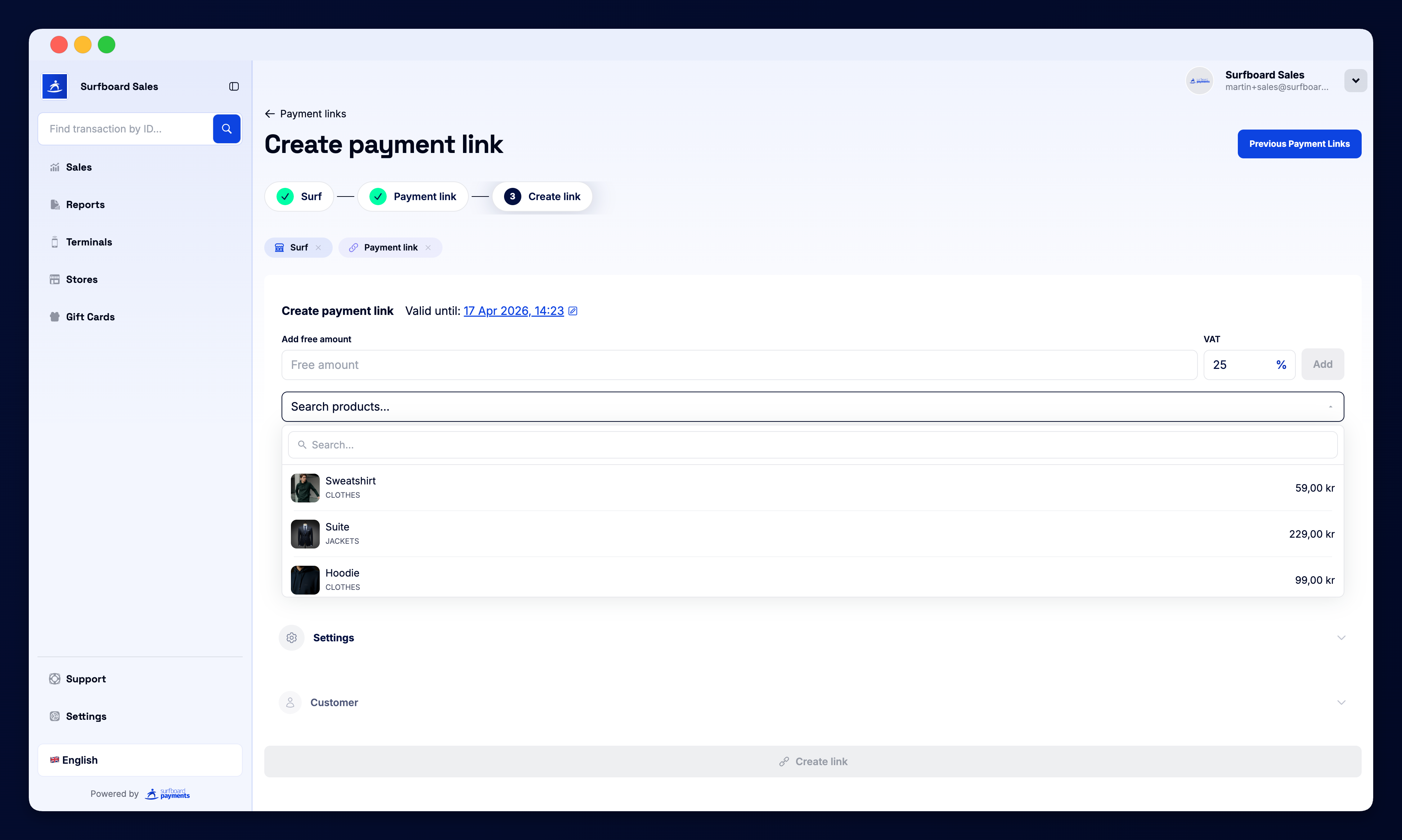
Click Create payment link in the top-right. The form asks for:
- Store — which location the payment is attributed to
- Amount and currency — the total to charge
- Description / order reference — shown to the customer at checkout
- Optional expiry — automatically void the link after a set time
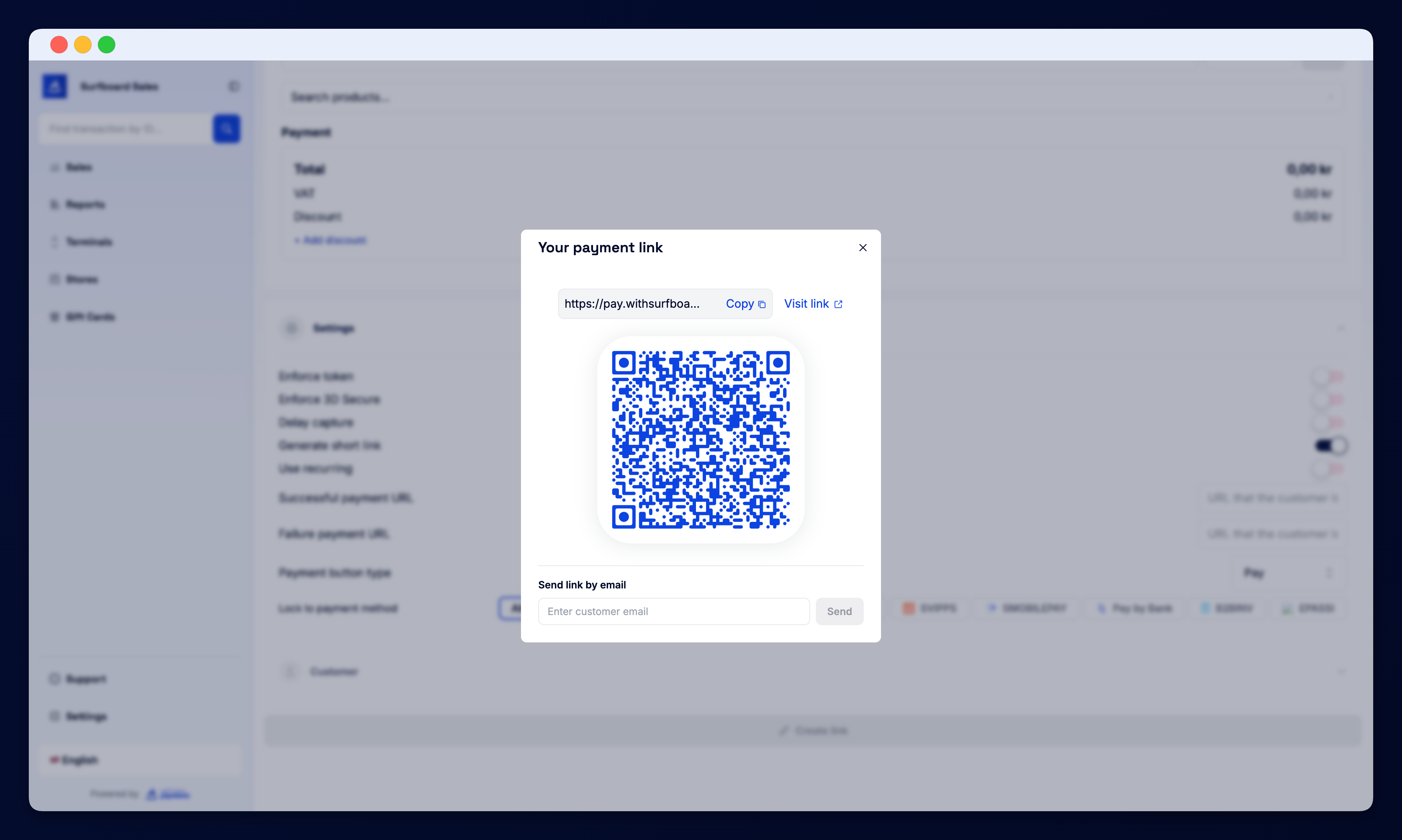
Hit Create and you get a shareable URL. Copy it, open the QR code, or send it directly to the customer.
Status Filters
The top of the page has tabs to filter the list:
- All — every link ever created
- Pending — waiting for the customer to pay
- Paid — completed successfully
- Expired / Cancelled — links that timed out or were voided
Order Table
Each row shows:
| Column | What it shows |
|---|---|
| ID | The unique order reference |
| Status | Pending, Paid, Failed, Refunded, Cancelled |
| Terminal | The online terminal that hosted the checkout |
| Amount | Charged amount in the link’s currency |
| URL | The shareable checkout link, with a copy button |
Click any row to open the full order detail — including the customer’s payment method, any refunds, and the receipt.
Hosted Checkout
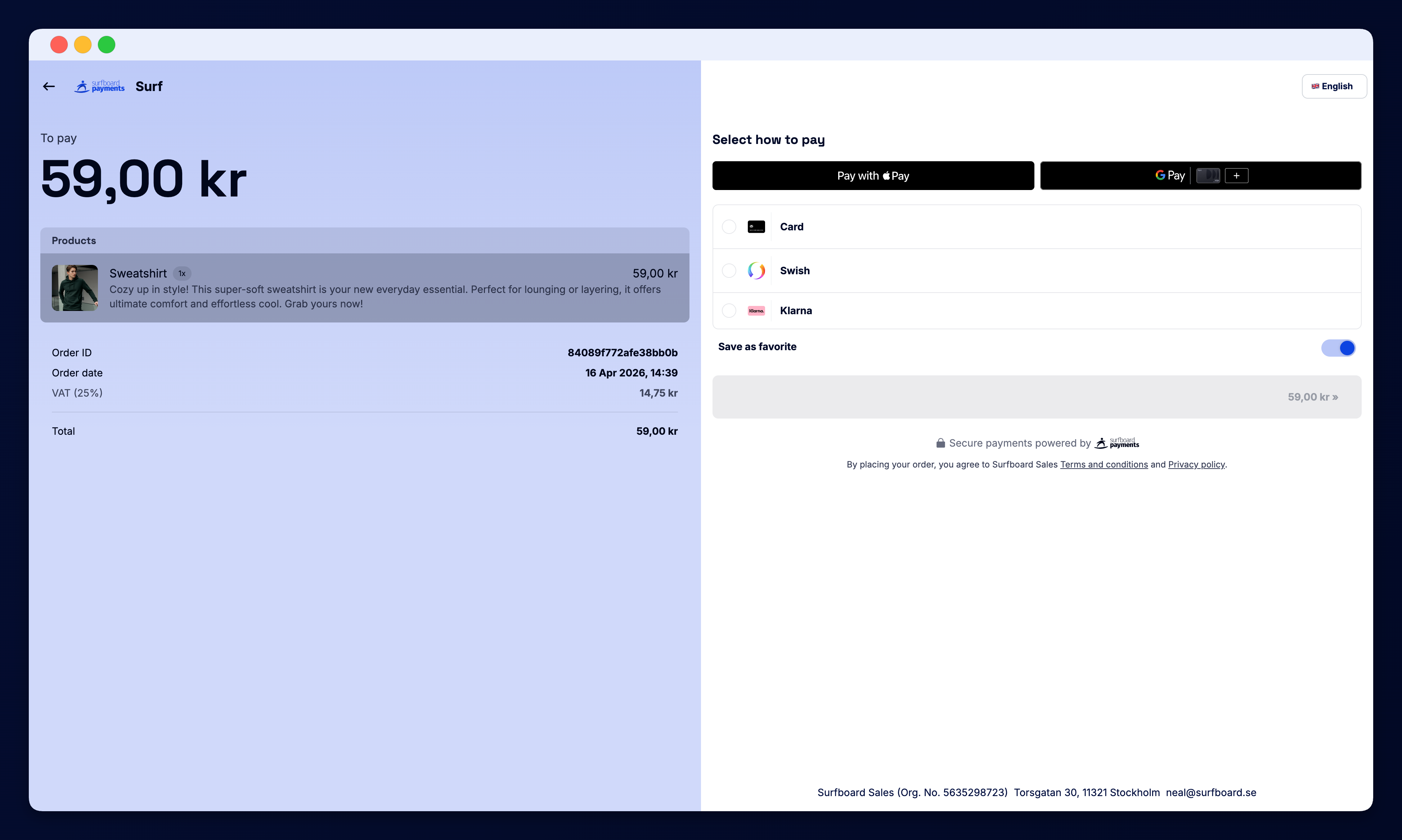
When the customer opens the link, they see Surfboard’s hosted checkout page — branded with your colours, logo, and font. Supported payment methods include cards (Visa, Mastercard, Amex), Apple Pay, Google Pay, Pay by Bank, BNPL (Klarna, Svea), and local methods (Vipps, Swish, MobilePay, Dankort) where available.