Gift Cards
Issue monetary or usage-based gift cards, share them with a link, and follow every card's balance, redemptions, and expiry.
Overview
Gift Cards lets you issue your own gift cards and keep track of them. There are two kinds:
| Type | What it holds | Example |
|---|---|---|
| Fund (monetary) | An amount of money that’s used up as the customer pays with it | A 500 kr gift card |
| Entitlement (usage based) | A number of uses, or unlimited uses | A coffee card for 10 coffees, a punch card |
Open it from Gift Cards in the sidebar.
Not every account has gift cards. If Gift Cards isn’t in your sidebar, the feature isn’t enabled for you.
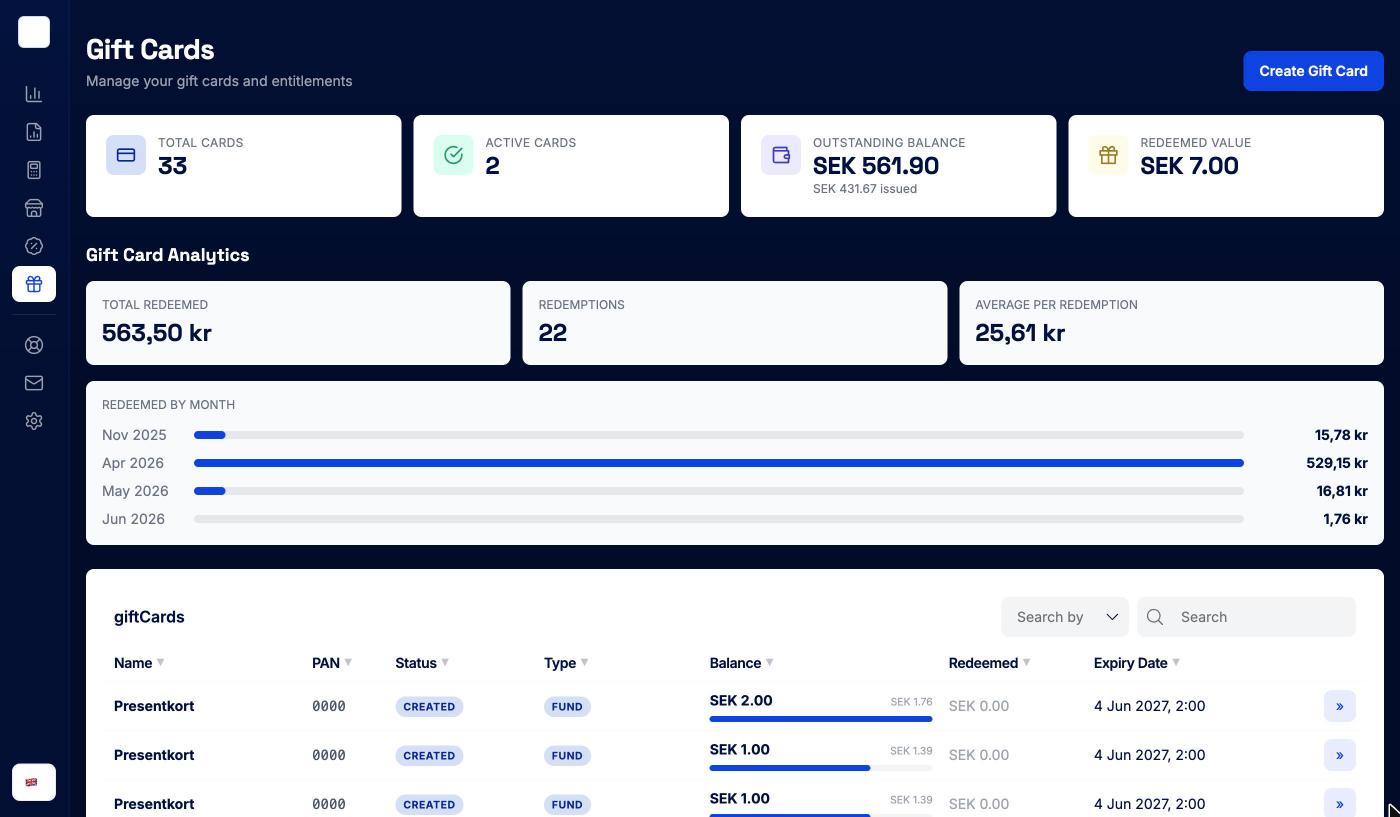
Overview figures
The tiles at the top summarise all your cards:
- Total cards and Active cards
- Outstanding balance — what’s still left to be spent on your cards, with the total issued underneath
- Redeemed value — what has been spent
Gift Card Analytics below shows Total redeemed, the number of Redemptions, the Average per redemption, and Redeemed by month for the last six months.
The card list
| Column | What it shows |
|---|---|
| Name | The card’s name. Click it to open the card. |
| PAN | The card number |
| Status | Active, Created (issued but not used yet), Fully used, Expired, Cancelled, Blocked, or Inactive |
| Type | Fund or Entitlement |
| Balance | For fund cards, the remaining amount and a bar showing how much is left. For entitlements, the uses taken out of the limit (∞ if unlimited). |
| Redeemed | How much has been spent |
| Expiry Date | Shown in red once the card has expired |
Search, sort by any column, and click » to open a card.
Creating a gift card
Click Create Gift Card. Admins only.
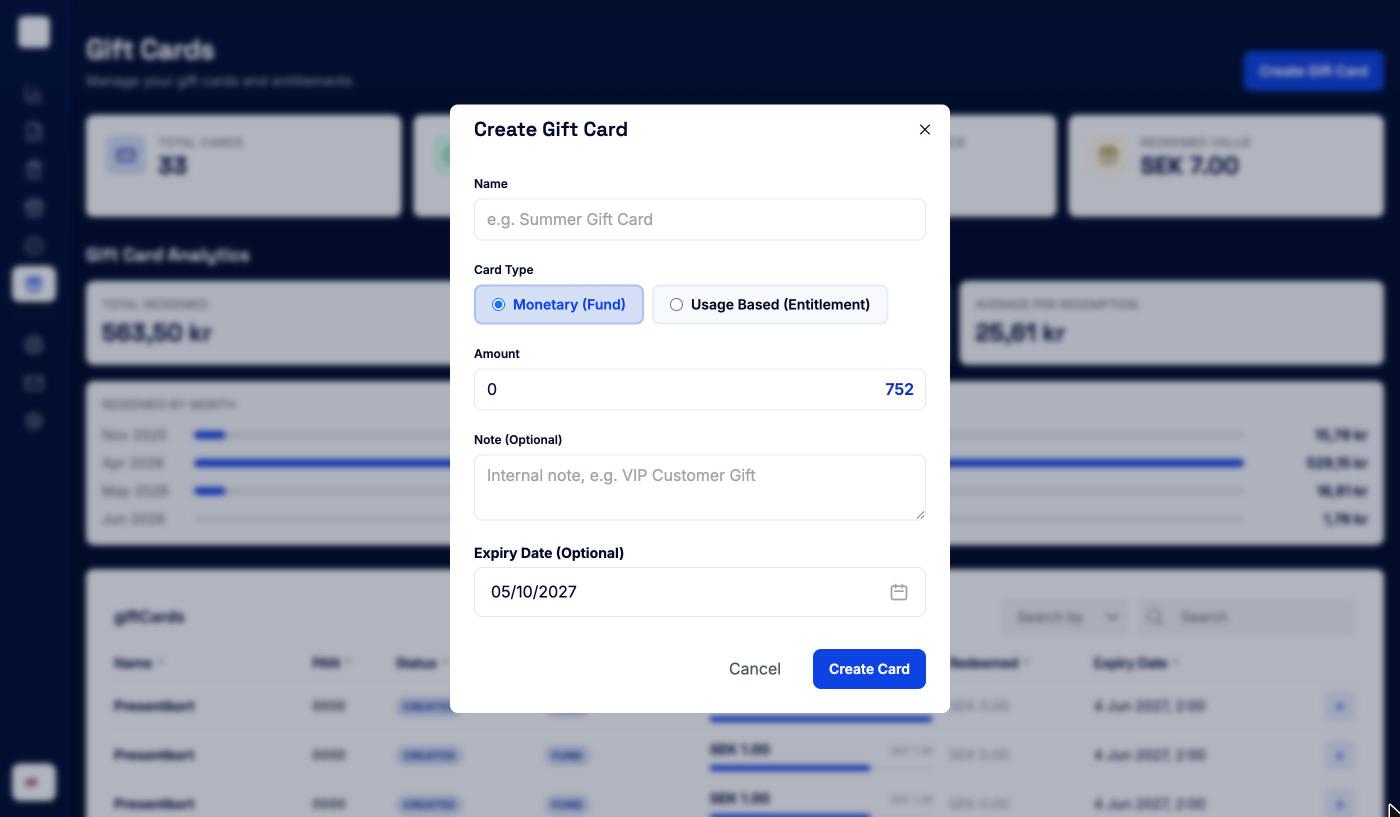
| Field | Notes |
|---|---|
| Name | Required, for example Summer Gift Card |
| Card Type | Monetary (Fund) or Usage Based (Entitlement) |
| Amount | For fund cards: the value of the card |
| Usage Limit | For entitlements: how many times the card can be used. Leave it empty for unlimited use. |
| Note (Optional) | An internal note, for example VIP customer gift |
| Expiry Date (Optional) | Defaults to one year from today. Pick another date if you need to. |
Click Create Card. The confirmation shows the card’s Shareable Link. Copy it and send it to the customer, who can open the card on their phone.
A card’s details
Click a card to see everything about it. The page address changes to include the card, so you can bookmark it or send it to a colleague.
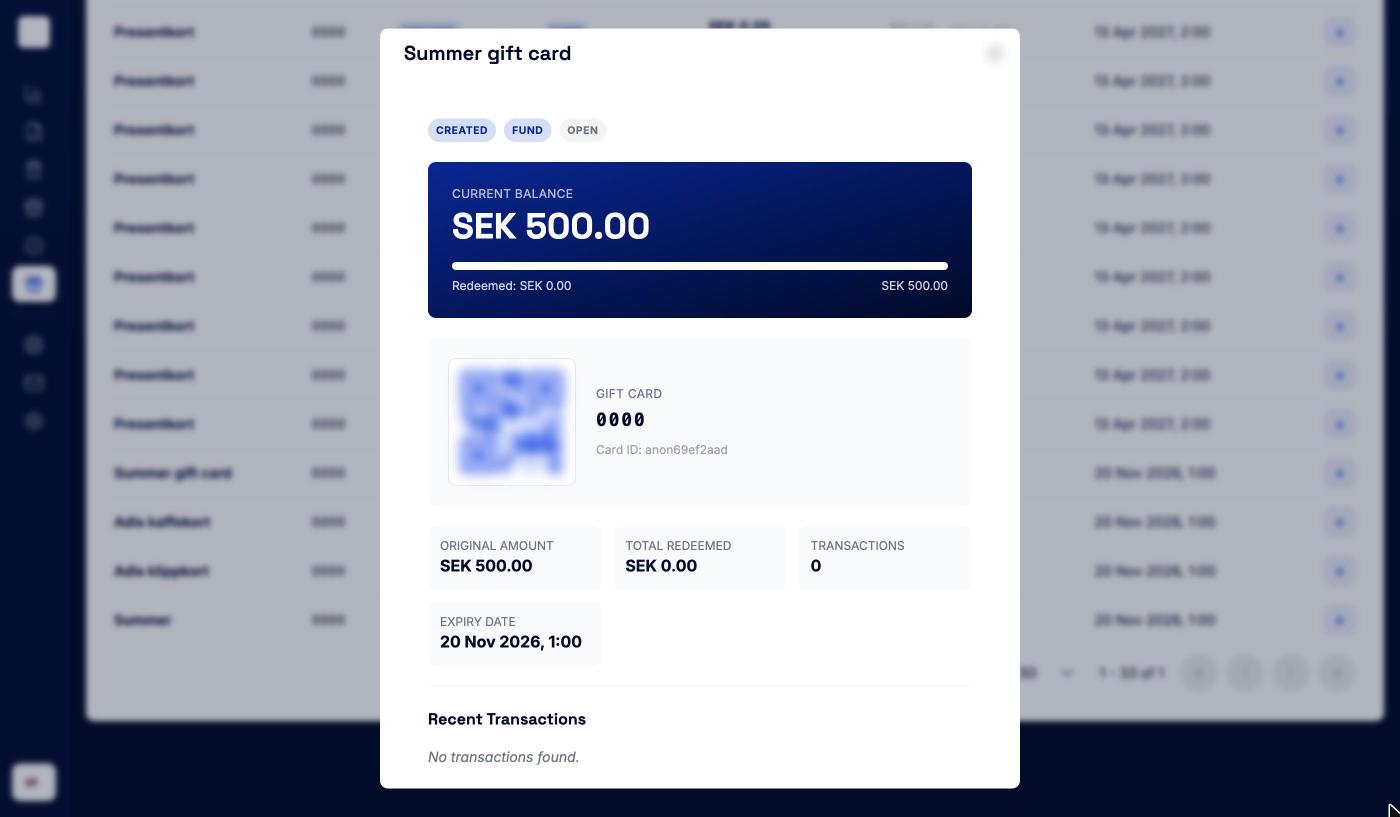
- Status and Type.
- Current Balance with what has been redeemed, for fund cards. Usage (uses taken out of the limit) for entitlements.
- The card’s QR code, card number, barcode, and Card ID.
- Original amount, Total redeemed, number of Transactions, Expiry date, and the last transaction.
- Customer details, if the card is linked to a customer.
- The Shareable Link, with Copy.
- Recent Transactions — when the card was issued, topped up, and redeemed, with the balance after each. Click a redemption to open the payment in Sales.
Cards can’t be edited, blocked, or cancelled from the portal. If a card needs to be stopped, contact us through Support.