Sales
Browse, search, and filter every transaction. Drill into individual sales for full payment, terminal, and customer details.
Overview
The Sales section is your transaction ledger. Every payment that runs through your terminals, payment links, or online checkout shows up here — in real time.
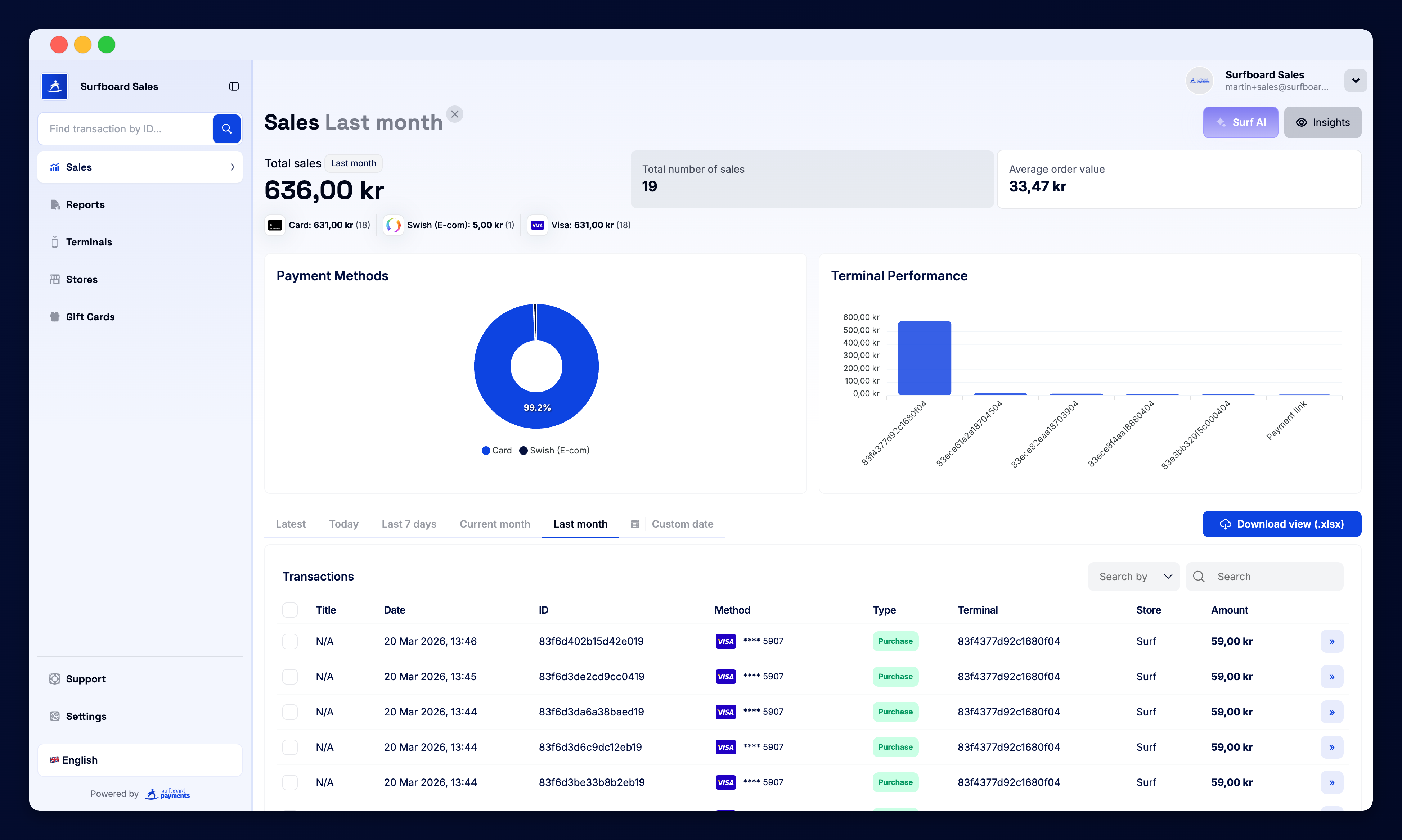
Time Filters
The top of the page has quick filter buttons to scope what you’re looking at:
- Latest — the most recent transactions
- Today — everything from today
- Last 7 days — the past week
- Current month — month-to-date
- Last month — the previous calendar month
Need a custom range? Use the date pickers next to the quick filters to choose any window you like.
Search
The Search by field lets you find specific transactions by:
- Order ID
- Terminal ID
- Card number (last four digits)
- Customer email or reference
- Amount
You can refine even further by combining the filter and the date range.
Transaction Table
Each row in the list shows:
| Column | What it shows |
|---|---|
| Status | Whether the sale was successful, voided, or refunded |
| Order ID | The unique reference for the transaction (clickable) |
| Terminal | Which device the sale was taken on |
| Store | Which location the terminal belongs to |
| Amount & currency | The total charged |
| Date & time | When the sale happened |
Click the » arrow on any row — or the order ID — to open the transaction detail view.
Transaction Detail
The detail page shows everything about a single sale:
- Card brand, masked PAN, and authorisation code
- Acquirer response and approval status
- Tip amount (if applicable)
- Receipt and digital receipt link
- Terminal serial, store, and operator (if logged)
- Refund history and link to issue a new refund
You can also re-print or email a copy of the receipt directly from this page.
Refunds and Returns
Returns appear in the same list, marked with a Return badge and a negative amount. Click into the original sale to issue a partial or full refund — the portal handles the acquirer reversal automatically.
Bulk Actions
Use the checkboxes on the left to select multiple transactions and export them to CSV for accounting or reconciliation.
Surf AI Insights
Above the transaction list you’ll see Surf AI Insights — short, AI-generated commentary on your recent activity (e.g. busiest hour, average tip, returning customers). It’s a fast way to surface patterns without having to build a custom report.