Zero to Transaction: Build a Live Payment Solution in Under 5 Minutes
Previously, in the world of payments, documentation was something you read, not something you used. You were stuck copy-pasting Merchant IDs, juggling browser tabs, and manually stitching together endpoints just to see if the connection worked.
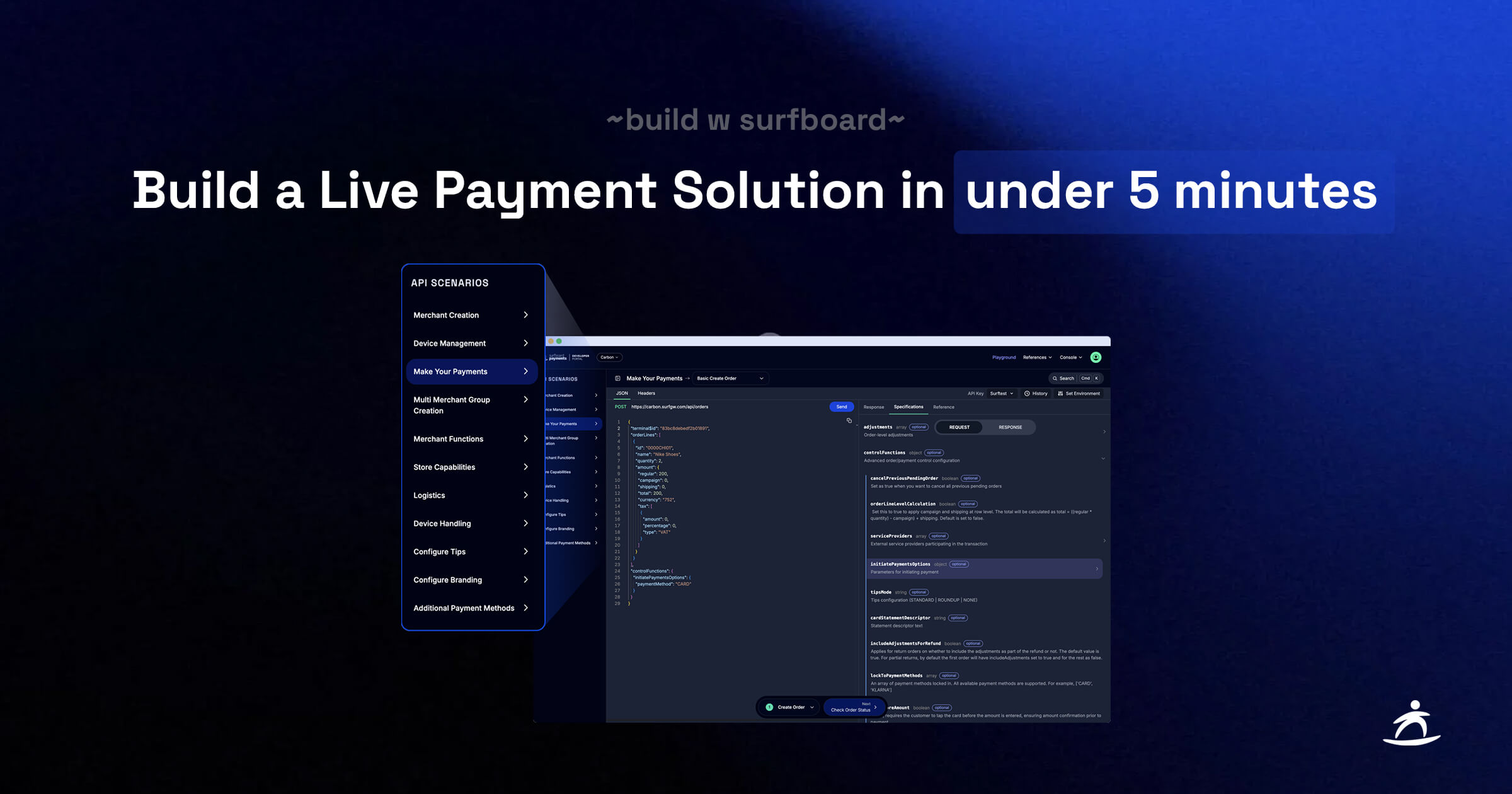
We realized that developers don’t want to read about payment flows. They want to build them. So, we replaced the friction with flow. No more copy-pasting. No more context switching. Just a unified Playground that takes you from sign up to a live card payment on any device in under five minutes.
In the traditional payments landscape, “integration” is often synonymous with friction. It usually involves waiting days for sandbox credentials, weeks for hardware delivery, and hours spent debugging authentication errors before you ever process a single dollar. We decided to challenge that standard.
With the launch of our upgraded Developer Portal, we have streamlined the path from Sign up to Sale. In fact, in the time it takes to brew a fresh cup of coffee, you can create a developer account, generate your API keys, and tap a real credit card on your phone to process a live transaction.
Don’t believe us?
Watch the full flow in real-time below, when our CPO Martin tries out the new Developer Portal.
How We Optimized for Speed
To make the “five minute integration” possible, we had to dismantle the barriers that typically slow developers down. Here is how the new Console and Playground work together to accelerate your build.
1. Instant Access, No Waiting
The clock starts the moment you sign up. The new Console gives you immediate access to production ready tools. There are no approval queues or “contact sales” forms blocking your path. You can generate API Keys and configure Webhooks instantly, giving you the credentials you need to start making calls immediately.
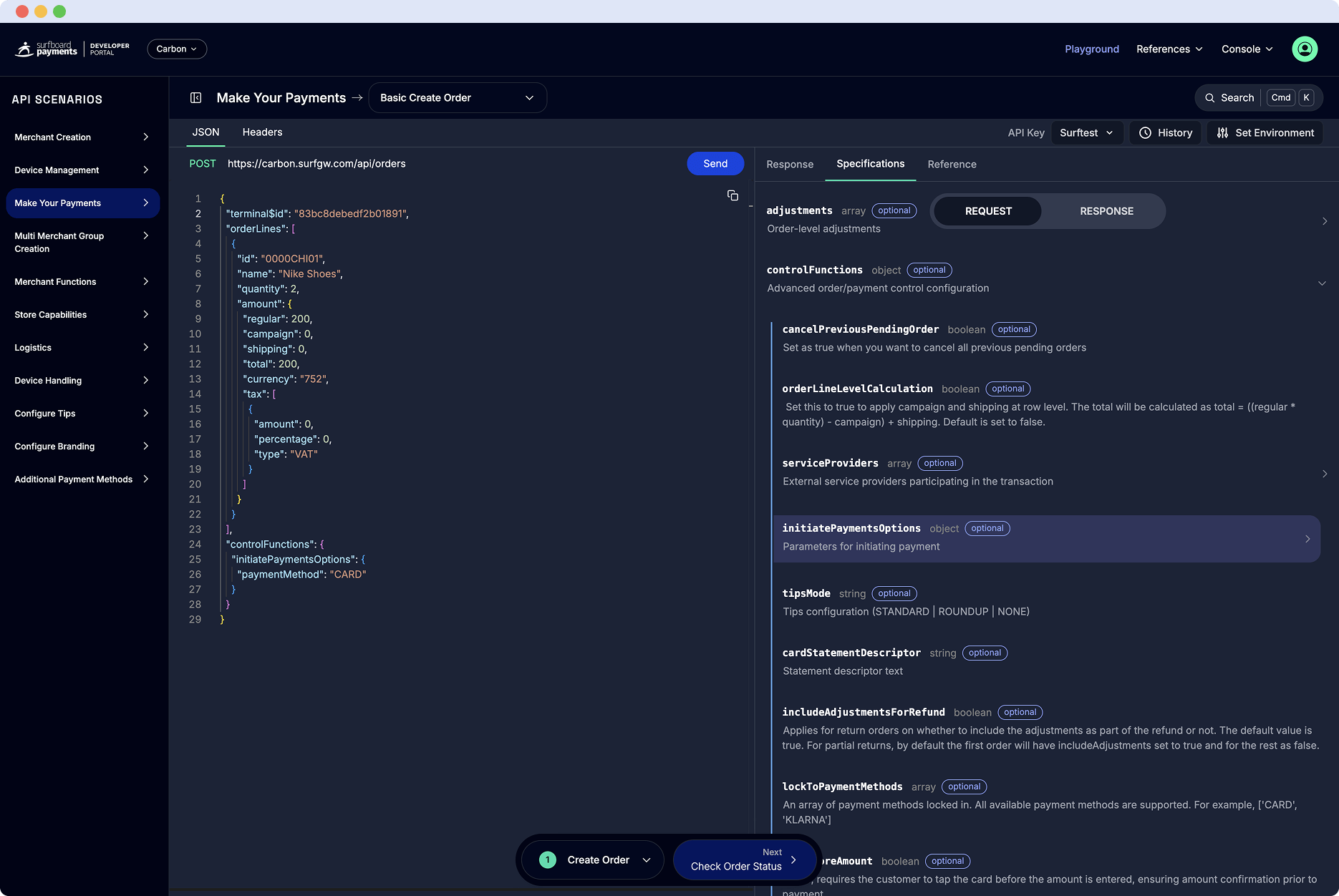
2. The “Context Aware” Playground
The biggest time sink in API testing is context switching. This means running a call, copying an ID from the JSON response, pasting it into a notepad, and then pasting it into the next request.
Our new Playground eliminates this entirely.
- Set it and Forget it: Paste your API Key once. The environment stays authenticated for your entire session.
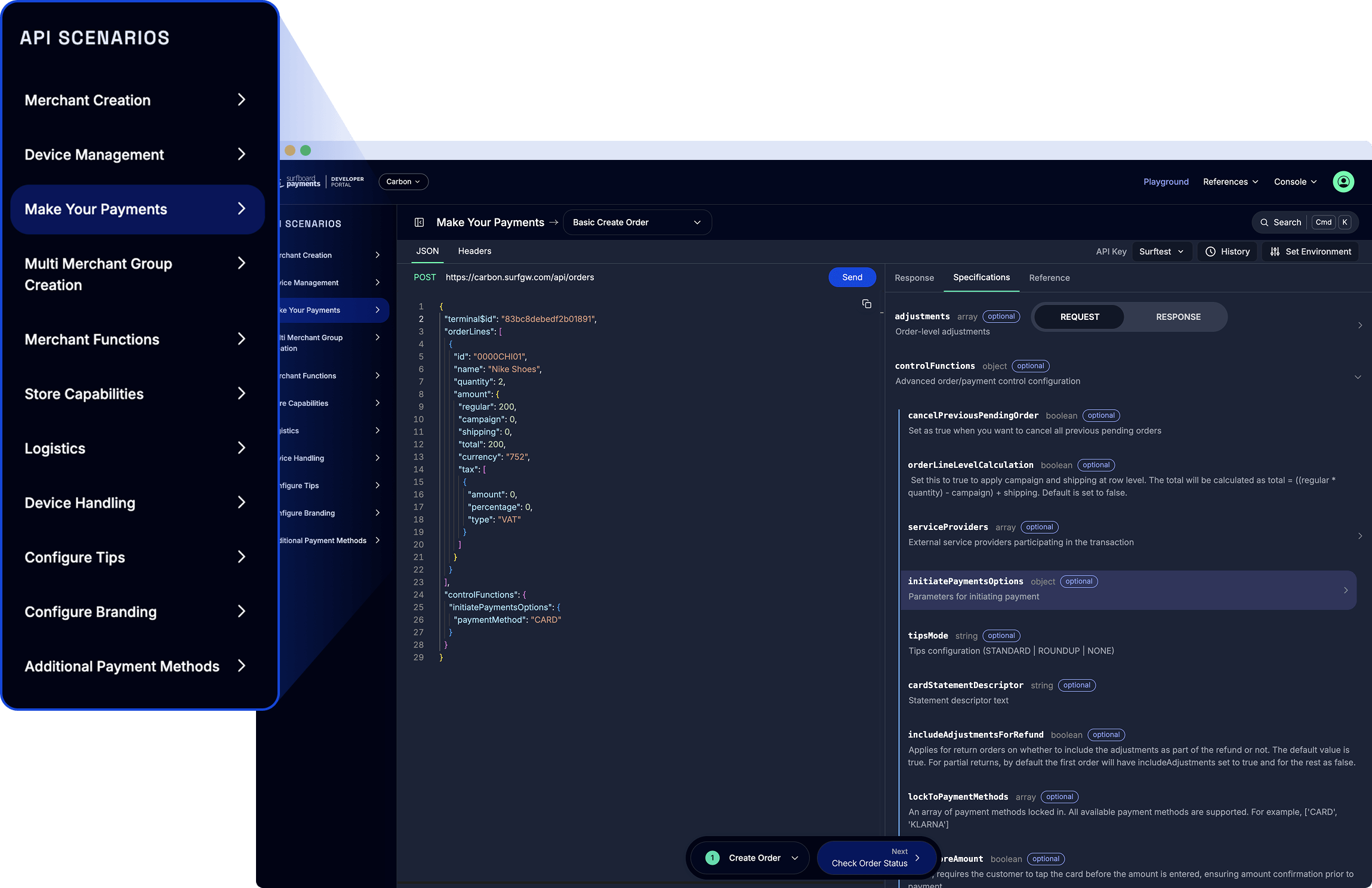
- Smart Scenarios: When you run the Create Merchant call, the system automatically captures the generated
merchantId. When you click “Next” to register a terminal, that ID is already prefilled in the request body. - LLM Ready: Stuck on a complex scenario? You can copy the entire scenario context with one click and paste it directly into your AI editor or LLM. It gives you the full picture, making debugging instant.
You aren’t manually stitching endpoints together. You are flowing through a prebuilt narrative.
3. The Hardware is Already in Your Pocket
Usually, testing a hardware terminal requires waiting for a physical device to be shipped to your office. Even with our next day delivery, shipping hardware breaks the five minute promise.
However, since all our acceptance devices run on the same API (PTS certified terminals and the software based CheckoutX on iPhone and Android, all the way to online payments), you can test the entire flow in the Playground using just your phone.
- In the video above, you’ll see us register a device in the Playground.
- Seconds later, that smartphone is active and ready to accept a card tap.
- We initiate a payment from the browser, and the phone lights up instantly to accept a card tap.
Beyond the First Payment: The Real Magic
Getting to the first transaction in five minutes is the sprint. But the marathon is where the platform truly shines. Once you have mastered the basic flow, the Playground allows you to unlock deep functionality without writing extra boilerplate code.
- Alternative Payment Methods (APMs): Don’t just stick to cards. Seamlessly toggle on local favorites like Swish or Klarna directly in the scenario to see how the checkout flow adapts.
- Digital Receipts: Configure eco-friendly digital receipts that are delivered instantly to the customer.
- Branding & Tips: Customize the terminal interface with your merchant’s branding and enable tipping logic on the fly.
All of these features are available as scenarios. You can configure them, test them, and then export the working code directly to your project.
One API for Every Scenario
While the speed of setting up a SoftPOS terminal is impressive, the real power lies in the scalability of the code. The exact JSON payloads and API structure you use in this five minute quick start are the same ones you will use for:
- Enterprise Hardware Fleets: Deploying thousands of physical terminals.
- Ecommerce: Generating online payment links.
- Unattended Retail: Powering kiosks and vending machines.
Ready to beat the clock?
You don’t need to read pages of documentation to understand how Surfboard works. You just need to try it. Create your account, open the Playground, and see if you can beat our five minute record.